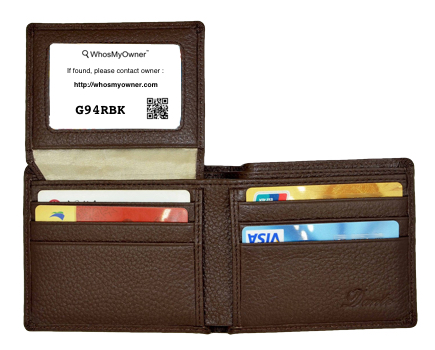
It’s not unreasonable for staff holding an item that’s been handed in to a shop or lost property desk to ask for proof of some sort from whoever comes in to claim it.

 Sometimes just a description of the item will do, sometimes not.

I thought I had dropped my wallet somewhere in the supermarket this morning.  As I patted myself down at the checkout looking for it, I was wondering: if I did lose my wallet and it was handed in here, how would I prove it was mine when everything with my name on it is inside?

Then it dawned on me.   I still had my phone, so I could just ask the shop to send a notification using the details on the WhosMyOwner sticker in the wallet.   In a few seconds I’d have both an email and a text message to convince them that the phone and wallet belong to the same person.

This works in reverse too – if my phone was handed in I could show my wallet, which has the same WhosMyOwner reference, so a notification would be sent to my phone.

Had I actually lost my wallet?  No – luckily it was just buried deep in a coat pocket.

When you’re off on holiday or business, taking this easy precaution could save your trip if your luggage goes missing.

This takes about a minute and one sheet of printer paper.

Log into your WhosMyOwner account and head over to Downloads > Luggage Insert.

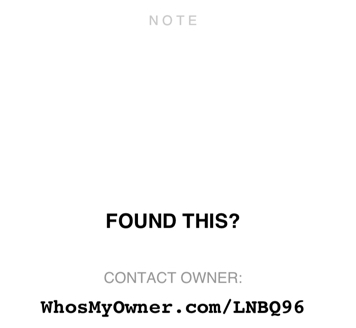
You’ll see an image similar to the one shown here. Select it to download as a PDF (already personalised with your WhosMyOwner reference) then print and insert one in each piece of checked luggage.  There’s space to add details such as your destination hotel if you like.

If your bag is mis-handled in transit and loses its tags, it will eventually be opened.  Any baggage service agent anywhere in the world who finds your note now has an easy way to contact you.

Importantly, if your bag was stolen rather than lost, this method doesn’t identify your empty home or reveal any personal information that could be used by criminals.

Like all the other useful items on our Downloads section, these are free to all subscribers, so why not stash one in each carry-on bag and a coat pocket too?

The outgoing message is an understated – yet extremely valuable – feature found in your Settings page after you log in to WhosMyOwner.  Here’s how to use it to maximise your chances of a good outcome if you lose something valuable.

This feature plays a similar role to the outgoing message in a telephone answering system. The difference is that instead of the caller hearing your voice, the finder coming to our website to contact you sees your pre-written greeting.  It’s your first chance to communicate.

You could leave the OGM field blank – the finder just won’t see a greeting – but that’s missing an opportunity to politely thank a stranger and help them to return your item. Here are some proven ways to get the most from this great feature.

You could leave a generic message like this:

Thanks for finding something I’ve lost.  Please leave me a message.  If you include a phone number I’ll call you back.

If you don’t want to speak to or meet the finder, why not let them know up front:

Thanks for your help returning something I’ve lost.  Please hand it in at the nearest police station, and let me know where to collect it.

If you lose something of particular value, log in as soon as you’re sure it’s missing and edit your OGM to give specific instructions, or perhaps offer a reward:

If you’re reading this, many thanks for finding my keys.  I’ve left a small reward at Preston Police Station for their safe return. Or  just hand them in somewhere else that’s safe if that’s easier.  You can leave me a message here with the details! 

If you’ve lost your mobile, it’s harder to get instant notifications but that doesn’t mean you’re unreachable!  Let the finder know to leave you a message anyway and that you’ll be checking regularly:

Thank you so much for finding my phone.  Please leave me a message here.  It’ll go to the lost phone but I’ll also be checking messages on the website.  Leave a number and I’ll get back to you as soon as I get your message.

If you’ve lost your mobile and have a friend receiving backup notifications, or perhaps want someone else to collect the lost item for you, mention that in the OGM:

Thank you so much for finding my iPhone.  If you leave me a message it’ll be forwarded to my friend John Smith, who will contact you to arrange collection (so please leave your number).

Finally, if time is of the essence and you have no alternative, you can leave actual contact details in the OGM for the finder to call:

Thank you for finding my briefcase.  I’d be really grateful for its safe return.  Please call  01234 567890  and ask for Alex.

Getting lost valuables back is all about good communication – that’s what WhosMyOwner is here for.  Set up a useful outgoing message both now and when you’ve lost something, and you’ll likely reap the rewards.

If the worst happens and you lose your mobile, you could find yourself without access to email or messaging until you recover or replace it.
Fortunately, even while you’re disconnected, WhosMyOwner can still come to your rescue.

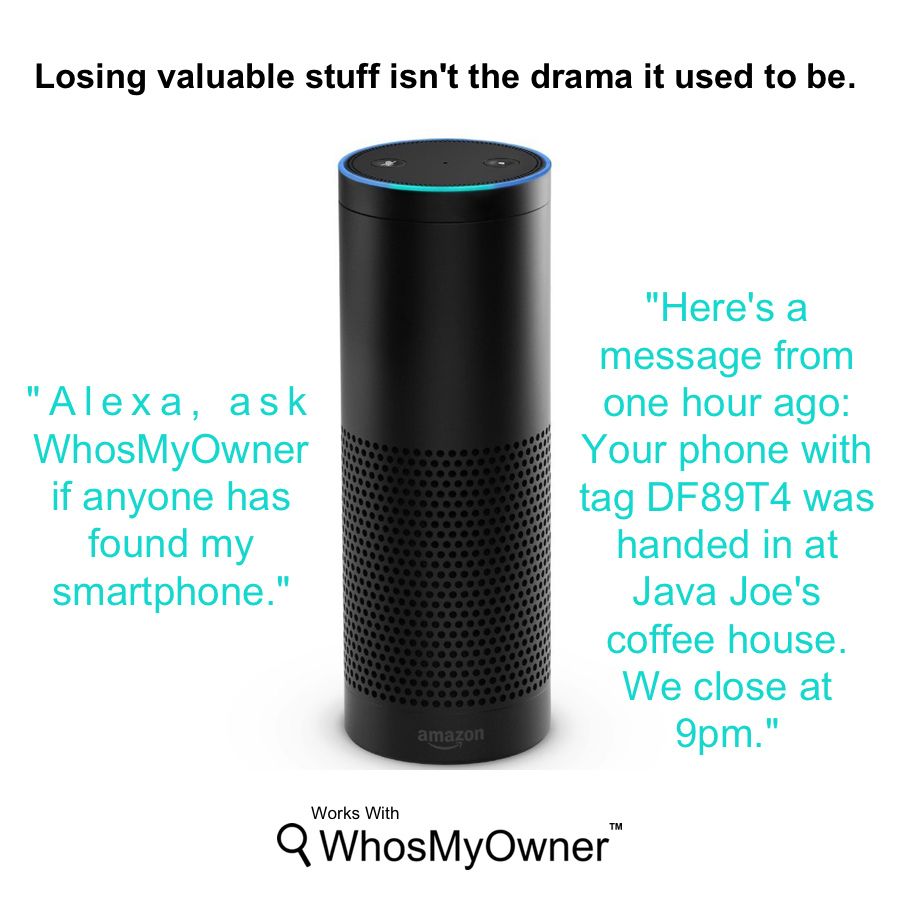
If you have an Amazon Alexa device with the WhosMyOwner skill enabled, you could of course just keep asking Alexa for any news.   Or you could log in to WhosMyOwner periodically from another device and view your notifications.  But when you’re feeling out of touch, nothing beats friend power!

By far the best way to avoid any delay in recovering your lost mobile is with a little help from your friends.

The trick is simply to save a trusted friend, family member or colleague’s email address and mobile number in your notification settings as well as your own.

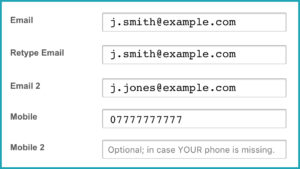
To set this up, log in to WhosMyOwner and go to Settings.  Add a second email address and, if you like, a second mobile number.   Each saved email address and mobile number will receive future notifications.

If you’re specifying someone else’s email or number, it’s a good idea to get their permission first and let them know what to expect, otherwise they might delete unexpected messages as spam. Send a test notification with your own tag reference from WhosMyOwner.com and confirm that your friend is actually receiving your notifications.  Ask them to get in touch with you right away if they get a real one in future.

Finally, if you do find yourself in this situation, alert your friend to watch out for notifications – time is of the essence.  Make sure they know how to reach you quickly – and not to rely on email or messages to your lost mobile!  Also check that their saved details in your WhosMyOwner profile are still correct.

By taking a few minutes to prepare in advance, even losing your mobile needn’t be a disaster.

We’ve been a bit busy recently, building and testing our new WhosMyOwner –  Amazon Alexa integration.

Now it’s all up and running, it’s time to celebrate!   We did say when you subscribed that there might be occasional subscriber-only goodies down the road.   And to prove it, here’s our latest: we’re giving away an Amazon Echo in December 2017!

So if you’d like a chance to treat yourself or someone else, there’s never been a better time to be a WhosMyOwner subscriber.   Just head over to this page, complete the form, then follow our social feeds for any updates.

If you’re not already a subscriber, there’s never been a better time to check us out!    Sign up here.

Got an Amazon Echo or Dot?

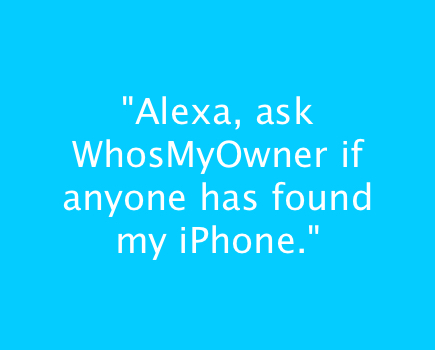
If you’re a WhosMyOwner subscriber you can now ask Alexa to check for updates on anything you might have lost:

“Alexa, ask WhosMyOwner if anyone has found my lost keys.”

“Alexa, ask WhosMyOwner if there are any updates about my backpack.”

“Alexa, ask WhosMyOwner if anyone’s reported my lost passport.”

“Alexa, what’s my tag number with WhosMyOwner?”

Sometimes you can’t find one of your security stickers when you need it.  Maybe you’ve run out, left them at the office, or you’re just in a hurry.  Now you can say:

“Alexa, ask WhosMyOwner to send me some labels.”

A sheet of personalised print-at-home labels will arrive as a PDF in your email in a few seconds.  Just print, clip and attach them to anything you like.  They’re formatted for label paper if you have it, but if you don’t, plain paper and scissors works well too!

If you’re a WhosMyOwner subscriber and you’d like to try it out:

  1. Search for the WhosMyOwner skill in your Alexa app, and enable it.
  2. Choose Link Account to connect it to your WhosMyOwner account.
  3. Try saying “Alexa, talk to WhosMyOwner”.

Alexa knows other cool WhosMyOwner tricks too – just follow the voice prompts or say “Help”.  We’ll announce new features on our Facebook page, so please share and like to stay up to date.

We welcome all comments, suggestions or requests for additional functions you’d like Alexa to know about.

Tagged with: , , ,

Luggage - instant notification

Like it or not, many of the bags that appear on conveyor belts in airport baggage halls look eactly like yours!

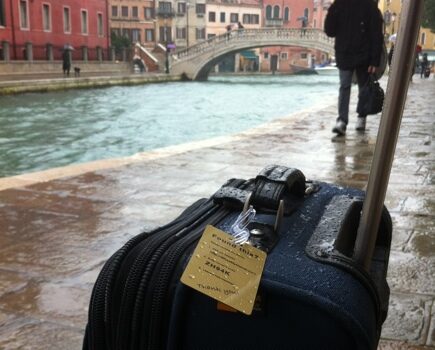
So if you’re travelling this summer, take the time to clearly label your bags inside and out to make them easy to identify.

Keep your bags – and your identity – safe with these suggestions:

  1. It’s OK to include your destination airport and hotel on external tags, but exclude your home address. Anyone seeing it will know it’s safe to break into your empty home while you’re away.
  2. Print your name and a contact number on a sheet of paper placed inside your bag on top of your belongings.  In general, include as little personal information as possible – you’d be surprised what a quick social media search can reveal about you and your plans from just your name.
  3. Rather than risk identity theft or becoming a target, why not use privately-registered security tags such as the ones provided by WhosMyOwner?  That way you can be contacted securely and easily in seconds, without publishing any of your personal details.
  4. Personalise your bags using distinctive stickers, ribbons, Day-Glo tape or unique tags to make them easy for you to spot even across a baggage hall.
  5. Take photos of your bags, showing any distinctive customisations, to make them easy to describe to your airline or baggage tracing service.
  6. If possible, keep a note of each bag’s manufacturer, model number, style, pattern and colour names and its capacity in litres.  You’ll be asked for all these details if you need to complete a luggage tracing form.  Having them prepared in advance saves time, ensures accuracy and helps tracing services enormously.
  7. Keep your luggage notes and photos in a folder on an online file-storage site like Dropbox.  That way you can send your insurance company or luggage tracing service a link that will help locate your bags much quicker.
  8. Remove any old airline tags and stickers from previous trips before you travel so as not to confuse baggage handlers.

And finally, if you’re travelling internationally, keep any written instructions simple and include translations in a couple of other languages – people trying to help won’t necessarily understand your language!